

PDF catalogue import
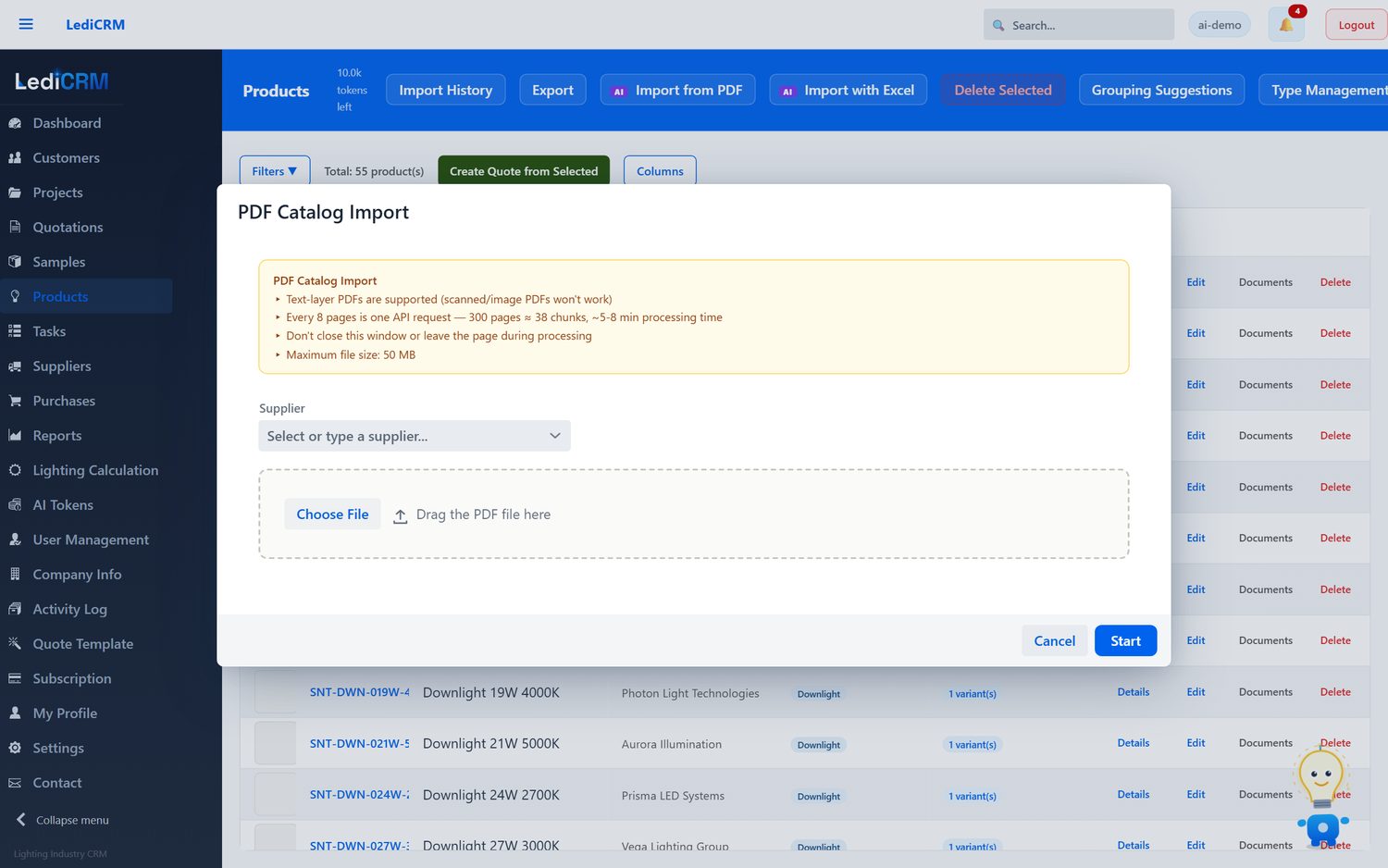
Drop in a supplier catalogue. Products, specifications and images are extracted in parallel and land in an editable grid. Nothing is saved until you approve it.
LediCRM is the CRM built for lighting businesses: size a room, choose luminaires from your own catalogue, match the project BOQ and send the quotation — all in one place.
Want to create a professional quote from this calculation and save your project?
Open a Free AccountSpeaks the files and standards of the lighting trade
IES & LDT photometryDXF & DWG floor plansPDF supplier cataloguesExcel & PDF bills of quantitiesEN 12464-1 target luxPDF quotations & reportsMade for lighting
Beam angles, lumen packages, IP ratings, target lux, floor plans. LediCRM understands the things a lighting business actually sells.
Photometrics
Attach the manufacturer’s IES or LDT file to a variant. LediCRM reads it for you — intensity distribution, lumen output, beam angle — and checks it against the datasheet before it reaches a quote.
Lighting design
Upload a DXF or DWG plan, mark the rooms, pick a room type and let LediCRM place luminaires against the target lux — then check the result point by point.
A pre-sizing tool. Final designs still call for a full calculation in software such as DIALux or Relux.
Quotations
The luminaires in a lighting project become a draft quotation for the right customer in one click, priced from your own catalogue. Or import a BOQ and match it line by line.
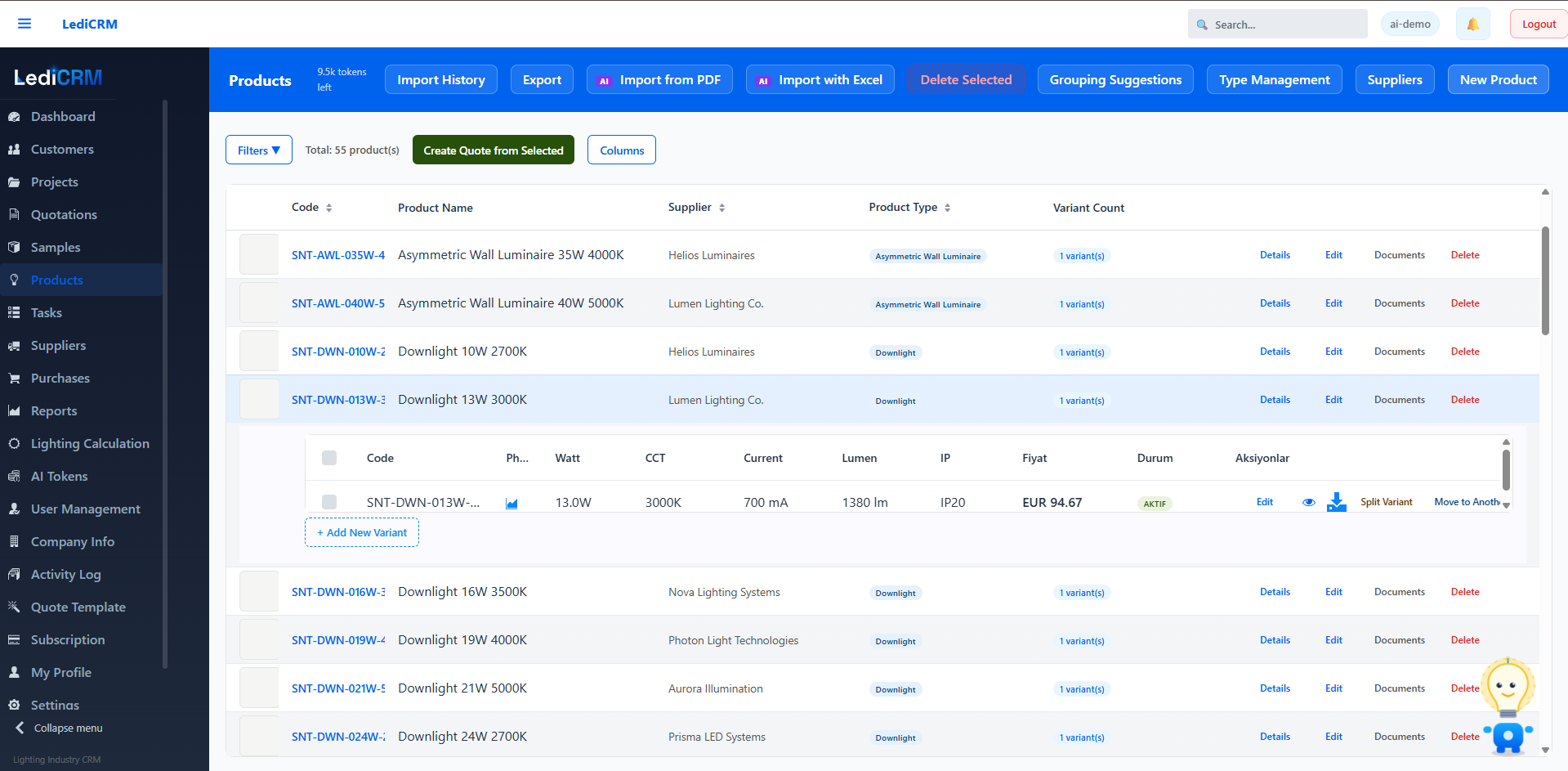
What it does
The daily work of a manufacturer, distributor or project company, in one system.
Drop in a supplier catalogue. Products, specifications and images are extracted in parallel and land in an editable grid. Nothing is saved until you approve it.
Variants that share an appearance sit under a single parent. Images live on the parent; every variant keeps its own SKU.
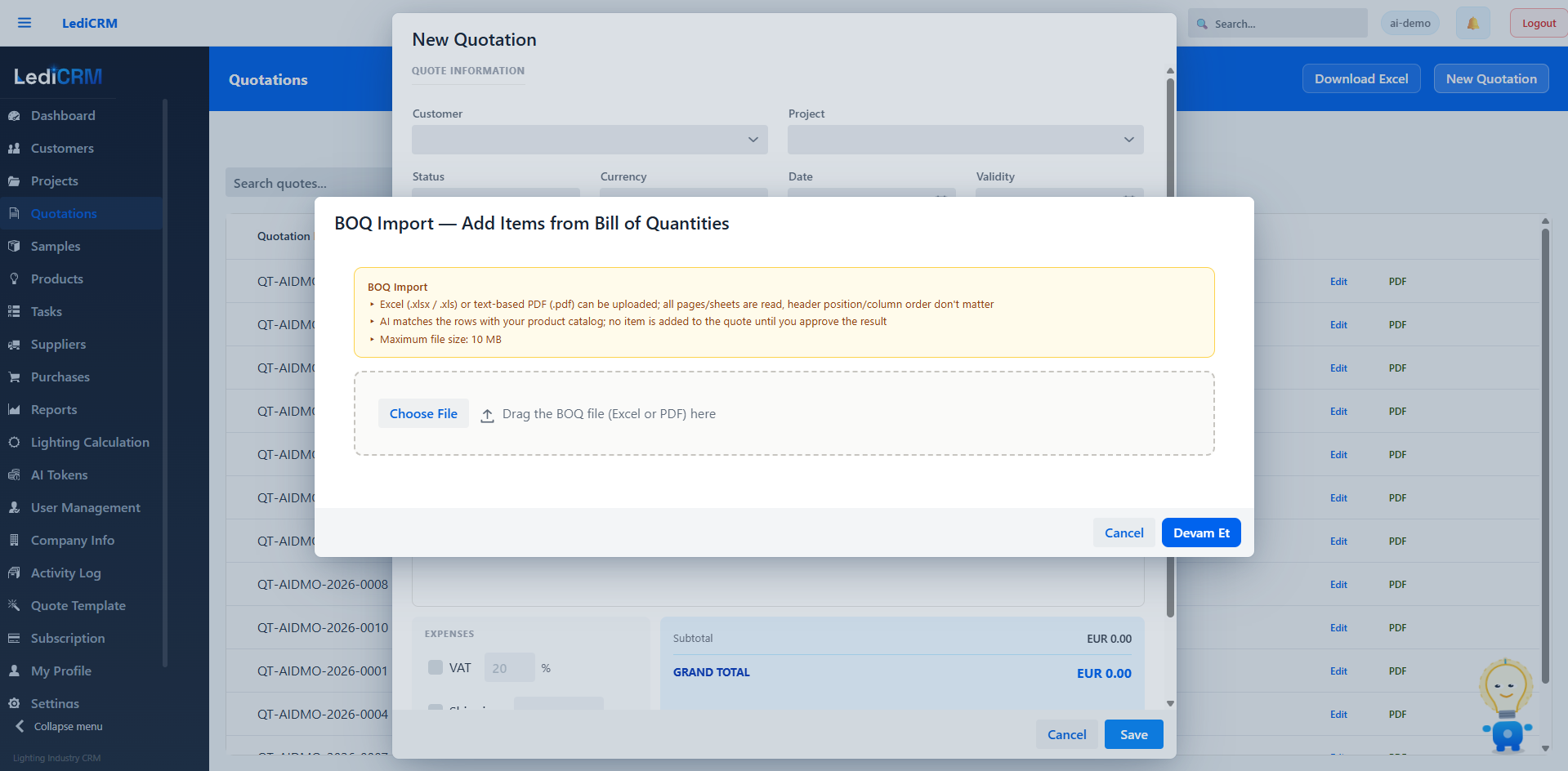
Load a project bill of quantities and match specified items against your own range, line by line.
Build a quotation from catalogue products, from matched BOQ lines or from a lighting design, with revision history against the customer.
Ask for “recessed downlights, 3000 K, IP44, under 15 W” and get products back, not a keyword match.
Companies, contacts, activities and tasks, structured around lighting projects rather than generic deals.
How it works
Start with the free calculator: lumens, luminaire count and power for any room, in seconds.
Upload the supplier catalogue and IES/LDT files. Review the extracted grid, then commit it.
Lay out luminaires on the floor plan, or match the project BOQ against your own range.
Turn the design into a priced quotation for the customer and track it to a decision.
Inside the app
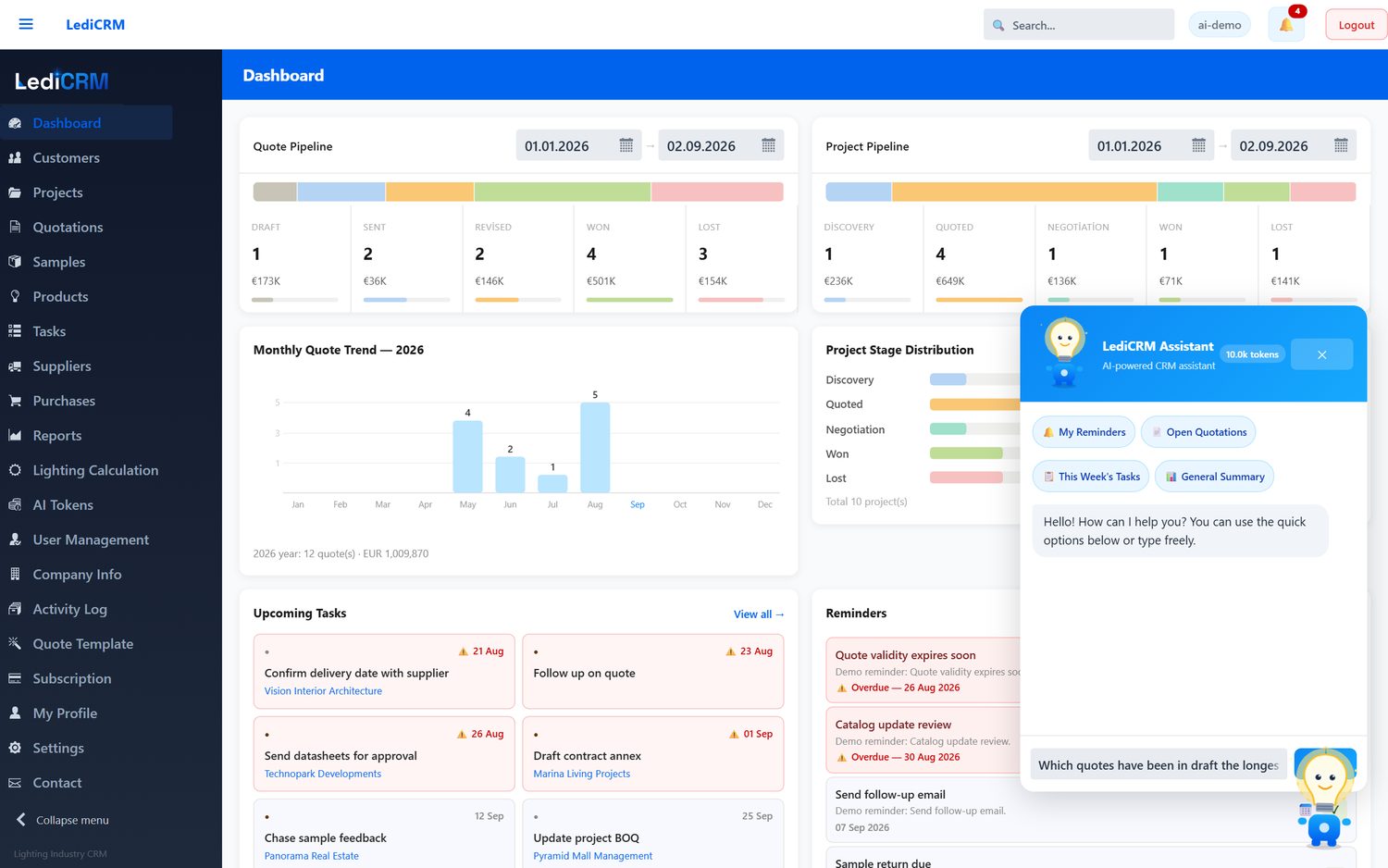
Captured on a demo account: the assistant on the dashboard, the catalogue import, BOQ matching and the quotation list.
Trust
An assistant that can reach your commercial data is only useful if you can say exactly what it is allowed to touch. Here is the arrangement.
Account data and customer content are stored in Frankfurt, Germany, and encrypted in transit.
Every record carries a tenant id, enforced on the server. One account cannot read another’s data.
The assistant reads through a database user that cannot write. Any change it proposes waits for your confirmation.
Content sent to the AI features is processed by Anthropic as our sub-processor and is not used to train models.
Pricing
Two plans, a 14-day trial, and the free calculator stays free.
Fourteen days, your own catalogue, no rebuild of your process required.